
“We need a website.” Not so long ago, those four words kicked off a grueling journey full of frustration and headaches for anyone without web development experience. Today, an entire industry has built itself around the motto “make it easy.” Building a quality website is within reach with a little effort and a fraction of what it used to cost just a few years ago. The experience will ring a bell for many: one day you decide to launch a website and almost immediately start running into obstacles. First you find out you need to register a domain, then someone mentions you also need web hosting — and you haven’t even started building yet. Those of us in this industry know exactly what each piece is and what it does; for someone tackling it for the first time, decisions like bandwidth limits, data transfer allowances, the number of databases, or the programming language can be genuinely overwhelming. From there, whether you build the site yourself or hire someone, you often find yourself caught in an endless loop of doubts and back-and-forth discussions. The result: more often than not you end up with a website that doesn’t fully satisfy anyone and that you soon realize needs to be rebuilt from scratch. WordPress, Magento, Weebly, Wix, and many other platforms have been changing the rules for years. Their mission is to make building a website simple — and in doing so they have fundamentally transformed the web creation industry.
Tips Before You Start Designing Your Website
Before choosing the tool you’ll use to build your site, here are a couple of useful pointers:
1. Don’t reinvent the wheel
There are endless resources available for building a website: software, design templates, modules… It’s tempting to think you can do better by starting from scratch, but almost all of those resources are the result of years of refinement, with each element honed to work as well as possible. If you don’t have experience, pick a template or solution that roughly matches what you have in mind. As you gain confidence, you can adapt it to your specific needs.
2. Focus on the essentials
When planning a website, there’s a common fear of leaving something important out. But a website is not a book, and it’s not set in stone. Every modern platform makes it easy to expand and improve your content over time. Write down everything you want your website to include. Give it a couple of days, then go back through every item and ask yourself: “If I removed this, would the site still work?” If the answer is yes, cut it. You can always add it later. This exercise also helps you identify the core of what you want to communicate, which makes it much easier to maintain a solid structure as your site grows.
Website Creation Tools
Which tool should you start with? If you have some basic technical knowledge, the answer is clear: go with open-source software. If you don’t, or you want to get up and running quickly without hiring anyone, a website builder is the way to go.
Open-Source Tools for Building Websites
Open source revolutionized website development, and virtually every paid website builder builds on concepts pioneered by open-source platforms. WordPress, Drupal, Magento, and PrestaShop are free, solid solutions that can serve as the backbone of your website. Achieving something comparable just over a decade ago would have required an investment of several thousand dollars.
WordPress
 WordPress is the undisputed king of open source and the most widely used website creation technology in the world. Its design, the wealth of available documentation, and the sheer number of existing plugins make it possible to achieve virtually anything you can imagine with very little programming knowledge.
 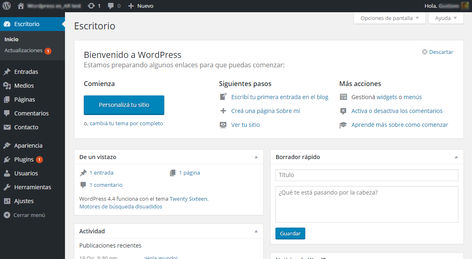 Its main drawback is that, precisely because it’s the most popular, it’s also the most targeted platform and requires a minimum of maintenance to keep running properly. That said, WordPress also offers a fully hosted version that lets you get familiar with the platform before exporting everything to your own self-hosted installation.
Drupal
 If you’re considering Drupal, this article is probably too basic for you. Drupal shares many similarities with WordPress but is generally considered a more robust platform with stronger capabilities for efficiently handling high traffic volumes.
Website Builders
Website builders are designed for users who want to forget about the technical side entirely. They handle the things that cause the most headaches for non-technical users: server space, security, and backups. The trade-off is less control over your website: customization options are limited, and most of these solutions don’t let you export your site. Moving to another platform almost always means starting over. Nearly all website builders offer a free plan, but if you want a custom domain or more features, you’ll need a paid monthly plan.
Wix
 The race between the two leading website builders is tight, but WIX is slightly ahead — thanks to its excellent balance between ease of use and flexibility. Wix lets you design your site from scratch and offers a large library of elements (lines, icons, buttons, etc.) that you can use throughout your website. Another standout feature is its built-in search engine visibility tools, helping your site get found on Google and other search engines.
 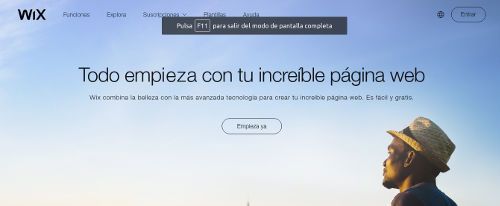 As for pricing, the cheapest plan that allows a custom domain and removes Wix branding starts at $14. Worth knowing before you invest time building your site, since Wix does not allow you to export your website.
Weebly
 Weebly offers very similar features to Wix. However, a few characteristics set it apart and make it the better choice in certain situations:
- Multi-language support. Wix lacks built-in multilingual support, which means you have to duplicate every page you want to translate. This becomes a significant management burden when you have a lot of content.
- Mobile optimization. Mobile browsing continues to grow in importance, and Google now prioritizes mobile-friendly sites in its search results. Weebly has invested heavily in this area, placing a strong emphasis on delivering an excellent user experience on smartphones.
- Marketing tools: Another major strength of Weebly is its built-in marketing integrations, including a newsletter tool and features designed to re-engage visitors who showed intent to purchase one of your products.
 On the pricing front, Weebly’s cost for removing ads and using your own domain is lower than Wix’s, with plans starting at $8 that include support for a small online store. Already chosen your platform? When you register your domain with Registros.com, we’ll help you connect it to whichever service you pick.